Vanguard Year in Review: Designing a Retirement Paycheck
MEJO 581 Architecture Lab — Final Pitch Case Study
1. Project Overview
The Challenge: We were charged with finding ways to improve and iterate on Vanguard’s Year in Review recap, specifically for those near to, and in, retirement. Vanguard's existing experience helps users grow their portfolios, but it falls short for users transitioning into retirement. Once people stop earning and start spending from their savings, their Year in Review still focuses on accumulation - balances, returns, growth - rather than what those numbers actually mean for their day-to-day lives.
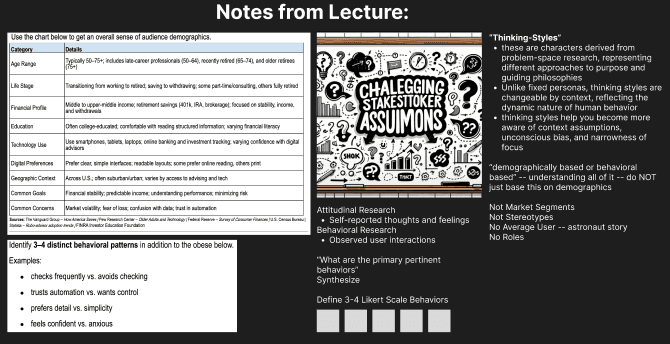
The Audience: Adults ages 50–59 who are retired or approaching retirement, with mixed levels of financial literacy. These users are emotionally invested in getting retirement "right" but often feel anxious watching their balance decline, even when that's exactly what it's supposed to do. This audience is also generally less technologically familiar, and the Year in Review needs a fitting adjustment to match.
The Goal: Redesign the Vanguard experience to support the mindset shift from growing wealth to living off it; translating abstract portfolio data into tangible, human language that helps users make confident spending decisions.
2. Research & Insights
Key Findings: Through usability testing, we found that users could technically read their Year in Review but couldn't translate that information into real-life meaning. Three pain points consistently surfaced:
Financial language felt unrelatable
The "on-track" signal was unintuitive
Users couldn't distinguish growth from their own contributions
Audience Insights: The defining tension for our audience is psychological, not technical. Pre-retirement, watching the balance go up feels like winning. Post-retirement, watching it go down feels like failing, even when spending is the entire point. Users second-guessed normal purchases and asked themselves, "should I really be spending this?" Despite Vanguard’s prowess in developing retirement options, we found that the Year in Review didn’t capitalize on showing retirement results.
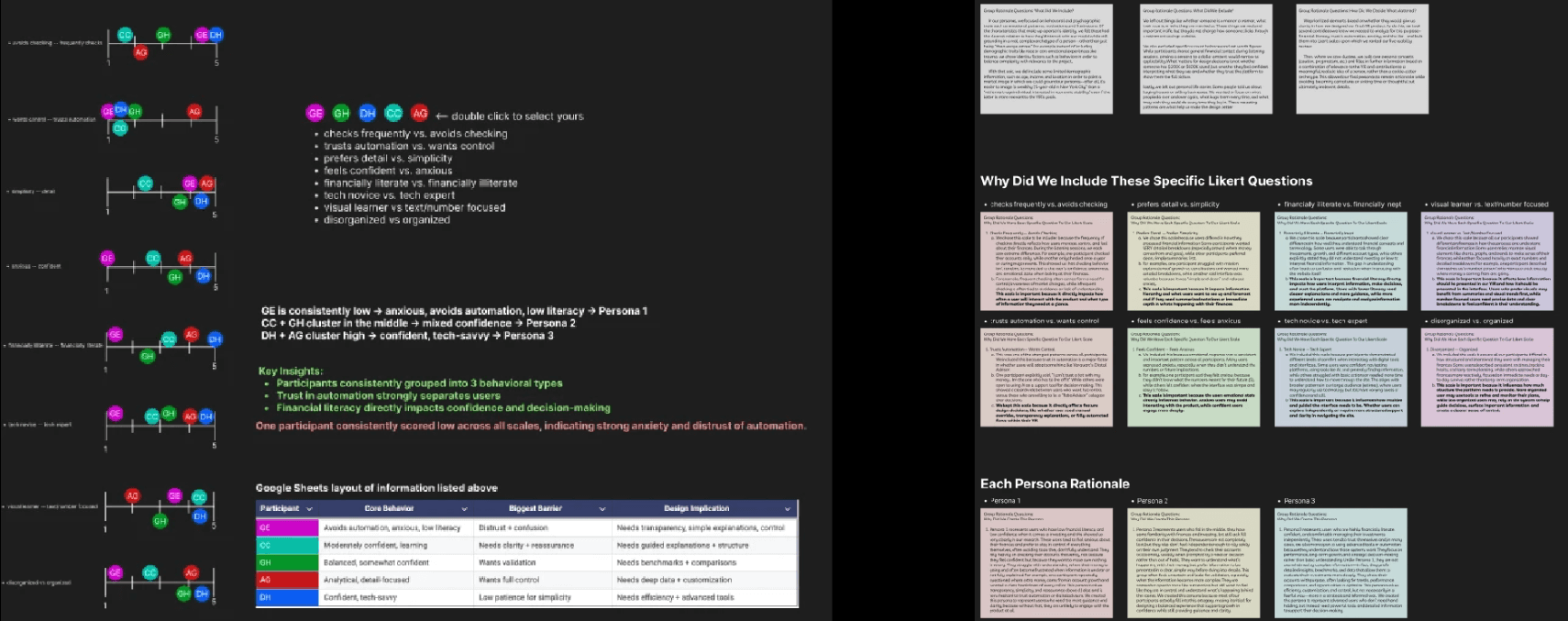
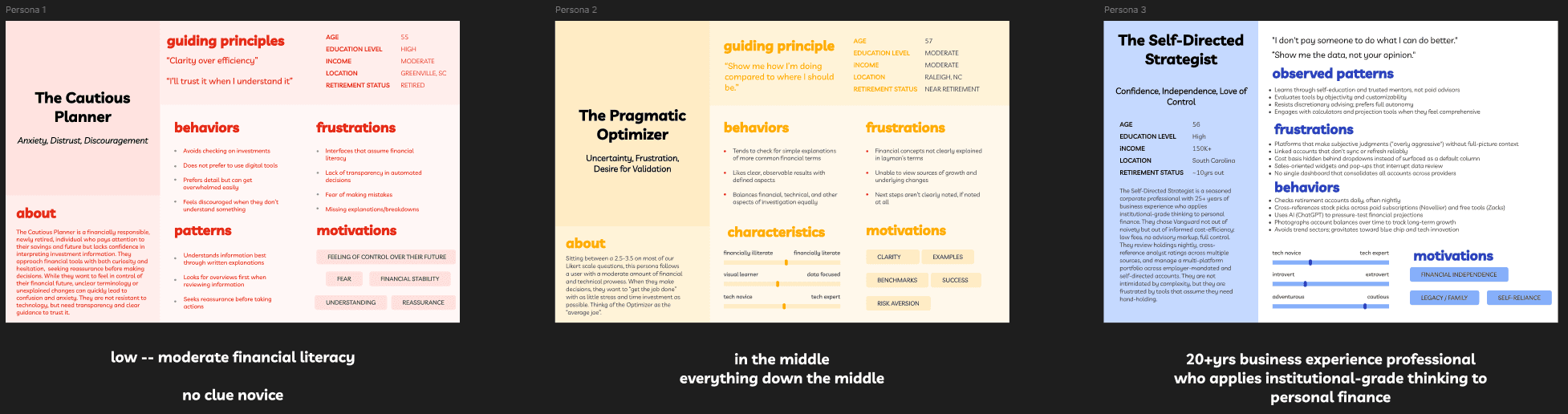
Persona Highlight: Our persona was a near-retiree who wanted to enjoy retirement but felt paralyzed by uncertainty. They didn't need more financial data; they needed permission to spend and clarity on their finances.
3. Structure & Thinking
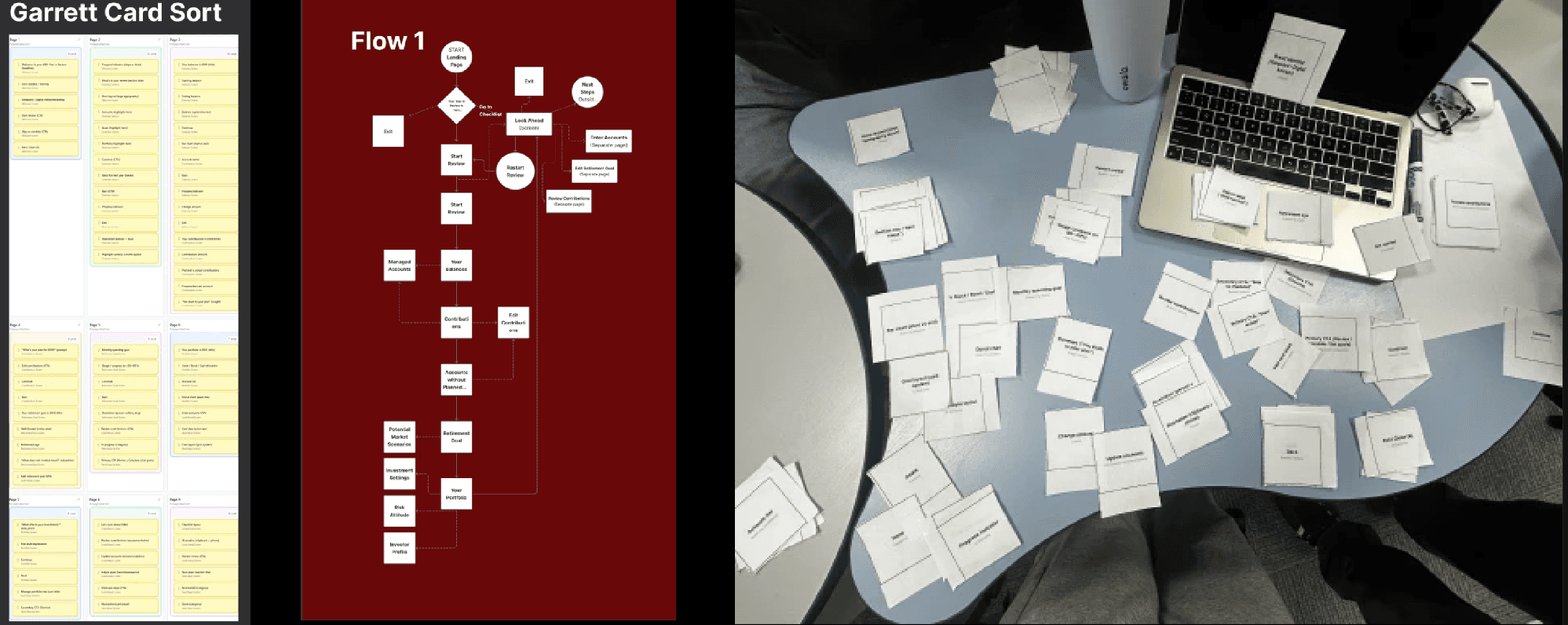
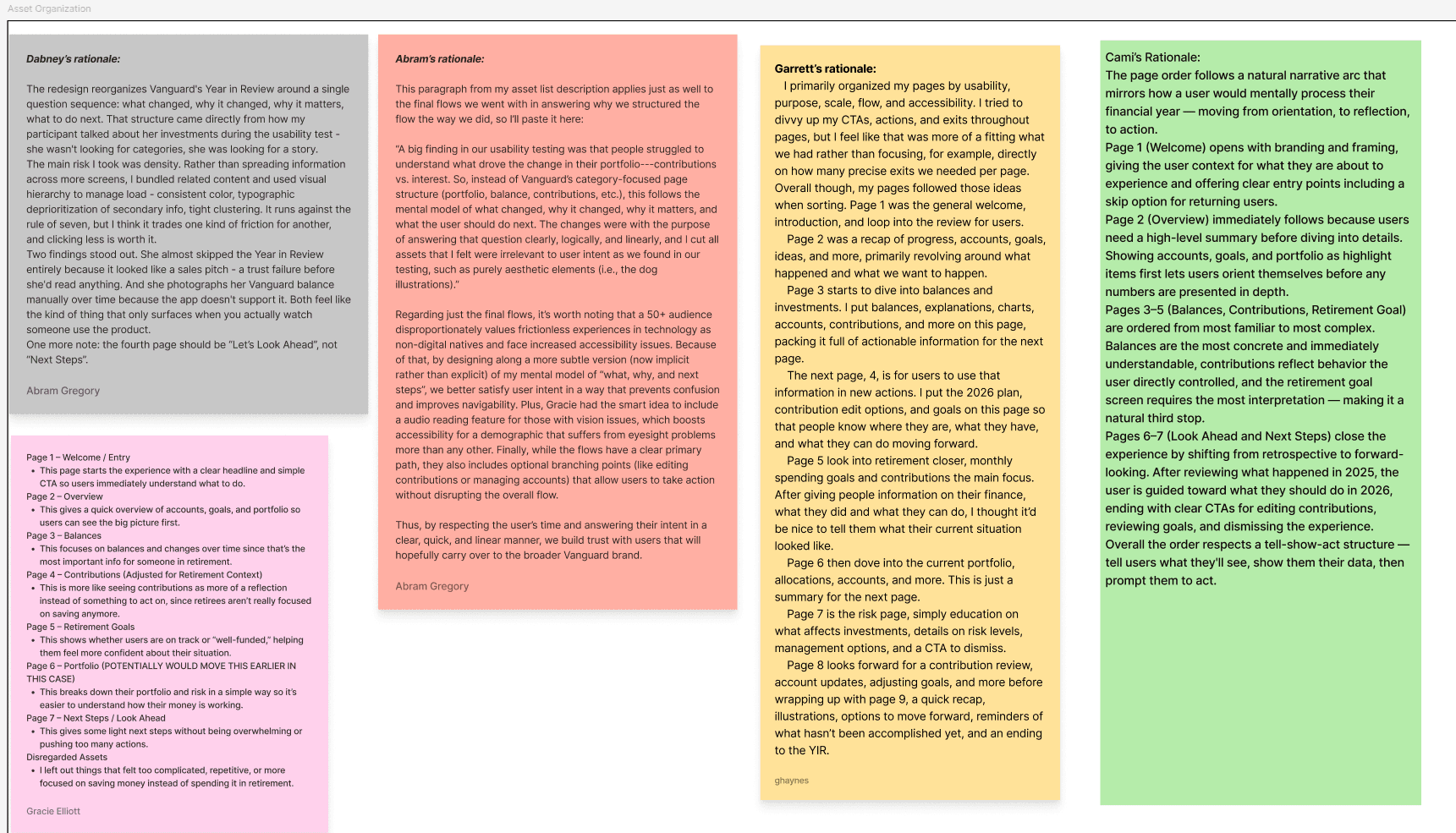
Information Architecture: Our card sort and IA work focused on reframing how retirement information is surfaced, and how we can design the Year in Review around the customer. Rather than leading with portfolio totals and performance charts, we restructured the experience around two anchor concepts: "how much can I spend?" and "am I really okay to retire?"
User Flows: We mapped the flow of a retiree opening Vanguard’s Year in Review, identifying points of confusion, strengths and weaknesses in design, and specifics that made the experience unique.
Key Decisions
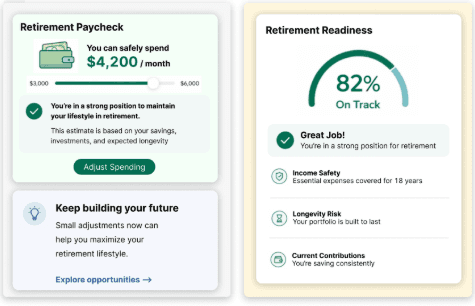
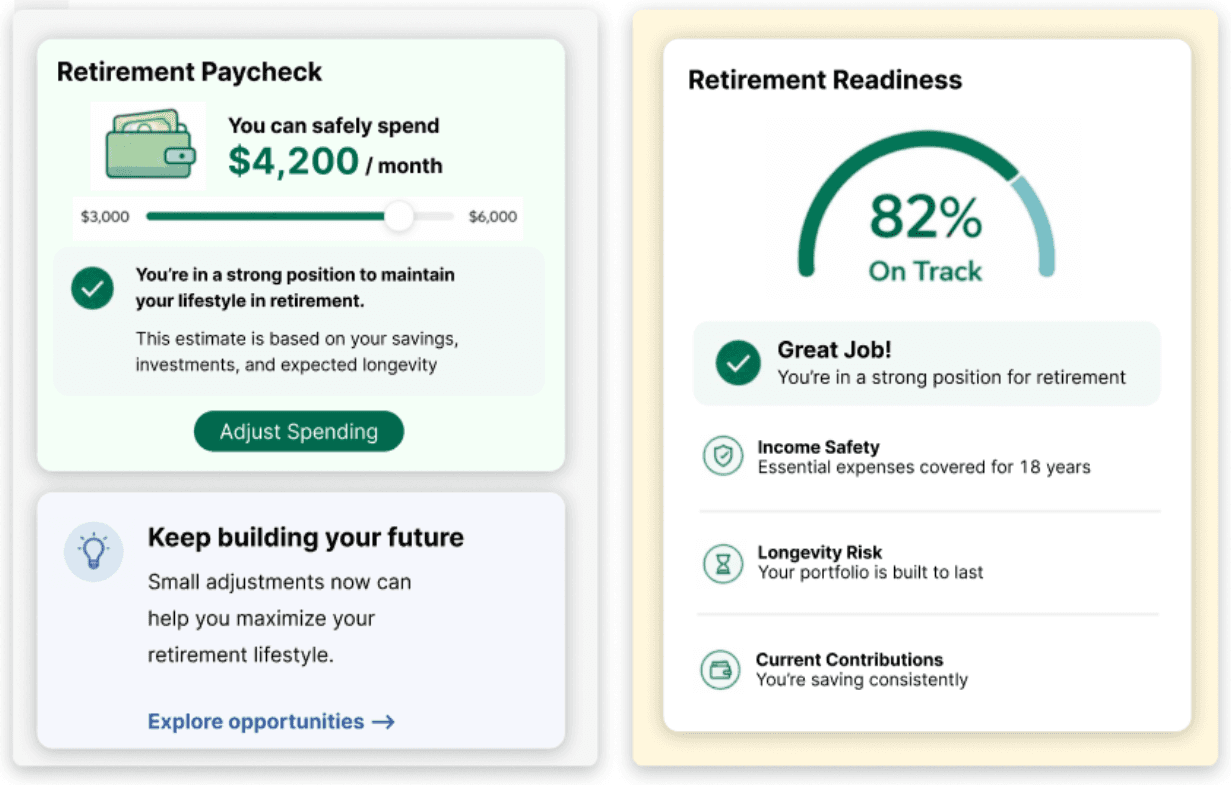
Lead with a monthly "retirement paycheck" instead of a portfolio balance
Add a clear, ubiquitous "on-track" readiness score
Layer in supporting features (tooltips, audio reader, repositioned navigation) to reduce friction throughout and improve accessibility
4. Design Process
Sketches: Early sketches explored different ways to surface a "spendable" number - we landed on a paycheck, to make retirement as easy to understand as possible, and spending as simple as we can make it.
Wireframes: Wireframes prioritized the readiness score and monthly paycheck, rebuilding the Year in Review around these factors while ensuring that greater financial information was also available for users.
Iterations Iteration cycles focused on language and small adjustments to design. Thinking through everything from "withdrawal allowance" to "sustainable spending rate,” we decided to iterate towards retirement paycheck, something that we all understood and could build from.
5. Final Design
Big Idea: A monthly retirement paycheck and readiness score, the two metrics that match what users actually want to know.
Key Screens
Dashboard with the retirement paycheck as the main element and the on-track score as a clear visual signal
Tooltips that explain why a balance changed (e.g., "Why is my balance less than what I deposited?")
Audio reader for users who might struggle with dense text
Repositioned "Continue" button at the top of long flows to reduce scrolling
Why It Works
Matches user intent: answers the questions users are asking
Eliminates friction: uses relatable, human language
Turns data into action: a paycheck and a score are decisions, not just numbers
6. My Contribution
Group Accomplishments: As a team of five, we delivered a complete pitch covering the problem framing, audience research, core concept, supporting features, and the brand-level value of the redesign for Vanguard's Year in Review.
My Contribution: I primarily worked on decoding the issues our users experienced and building out our Figma file. I was in charge of the first major user flow we developed, combining the existing Year in Review design with the ideas and techniques we discovered through interviews.
As a group, we worked through most of the designs together, iterating off one another — so much of our individual work shows up across the overall design rather than in isolated stages. That said, my contributions are most visible in the Figma prototype, particularly in the visual treatment of our research-driven decisions.
Reflection:
This project pushed me to think about UX as something deeper than design. The hardest part of designing for retirees wasn't the layout or the visuals we iterated on, but understanding the emotional weight of a declining balance. When thinking about retirement, most people spend most of their life building up a retirement balance, but not enough time thinking about taking that balance and bringing it down to zero. With that ideology in mind, a lot of our design influence came from lessening the mental blow of watching retirement funds decline.
What surprised me most was how much language did the heavy lifting. We could have built the most beautifully designed dashboard imaginable, but if it still said "portfolio balance" instead of "monthly paycheck," users would still feel lost. The shift from "withdrawal" to "paycheck" wasn't just wording, but it was the entire product. That made me realize how often UX problems are actually framing problems in disguise. Realistically, the design for the paycheck didn’t really matter - the concept conveyed our idea.
If I could improve the project, I'd spend more time testing specifics of the score and paycheck visually. We landed on the concept quickly because it felt obviously right, but I'm curious how different visual treatments, numbers, words, ratios, would land with users at different literacy levels. I'd also want to test the paycheck idea with users who have variable income streams in retirement, since not every retiree's situation maps cleanly onto a monthly figure, and not every retiree stores all their money with Vanguard. What I learned most is that good UX for high-stakes decisions has to lower the emotional load, not just the cognitive load. Tooltips reduce confusion, but they also reduce anxiety, the latter being what builds trust.
Going forward, I want to design with both the user's task and their emotional state in mind, because the two are never really separate. This project changed how I think about the role of a designer. We weren't just making something easier to use. We were giving people permission to enjoy the thing they spent forty years saving for, and making the idea of spending retirement fun.